
 Accounty
Customer fields for Shopify's new customer accounts
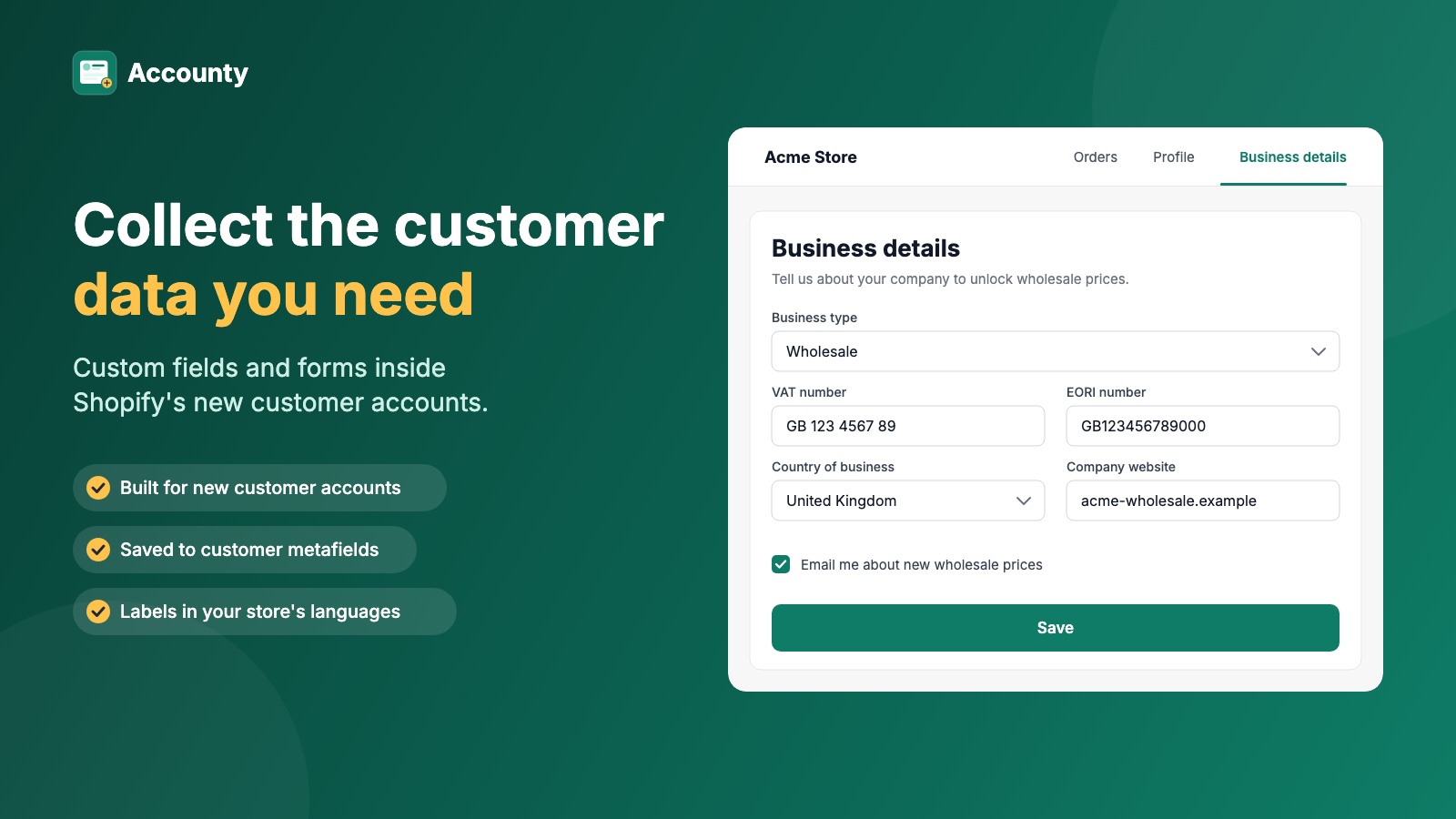
Ask customers for their phone, company, VAT number, birthday or anything else — inside their customer account — and save every answer on the customer record in Shopify.
The problem
Sign-up can't take extra fields any more. The customer account can.
Shopify's new customer accounts are now the default — and they changed how you can ask customers for details.
Legacy accounts are on the way out
Shopify deprecated legacy (classic) customer accounts on February 26, 2026. New stores can't choose them, and a shut-off date will follow.
Sign-up is hosted by Shopify
New customer accounts sign people in with a one-time code by email. No theme and no app can add a field to that sign-up screen.
The register-page fields are gone
The old way to ask for a phone number, company name, VAT number or date of birth on the theme's register page no longer works.
How Accounty collects customer details
No theme code, no app embed and no page speed cost on your storefront.
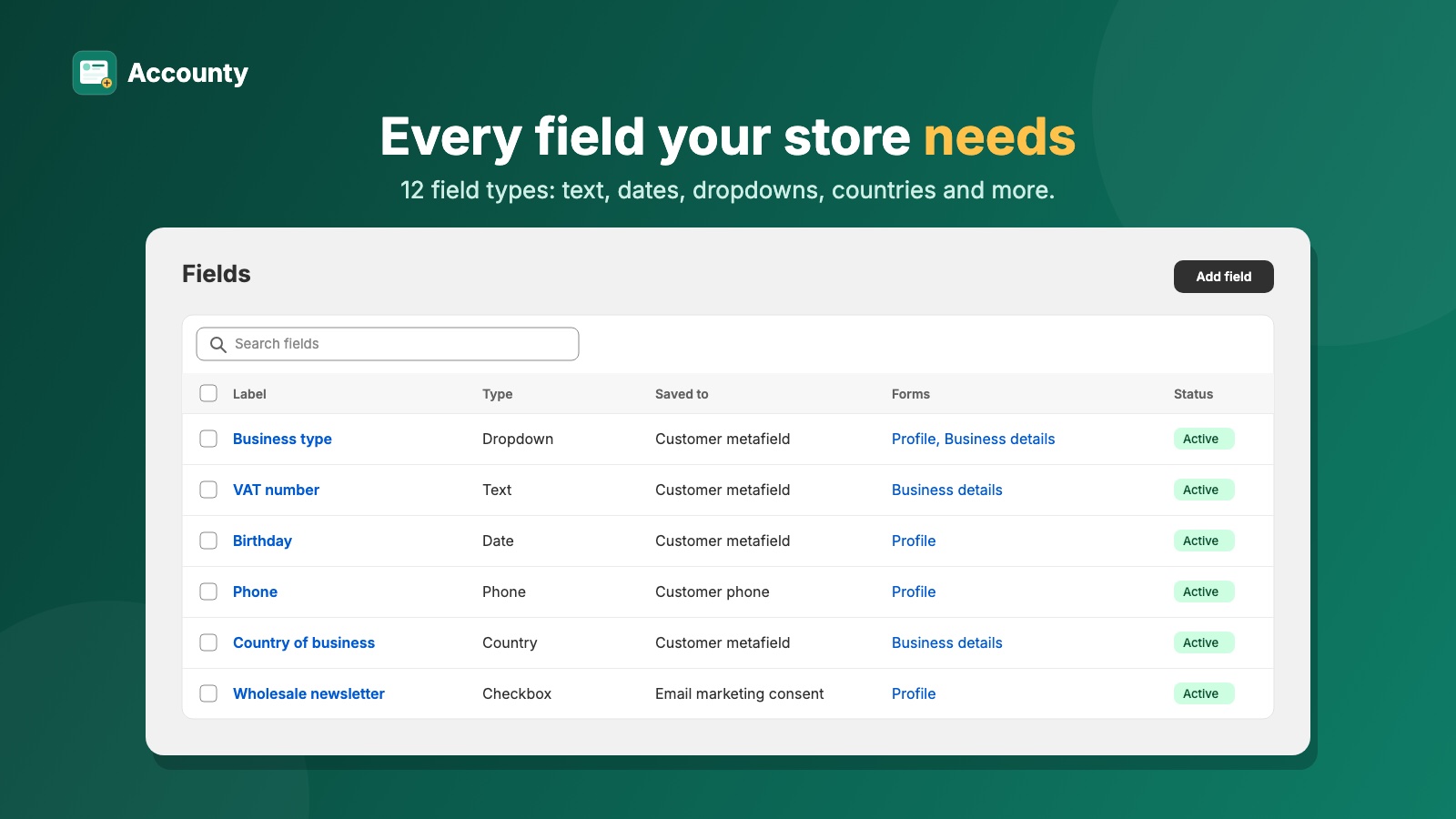
Build your fields
Add fields in the app inside your Shopify admin — text, date, dropdown, checkbox, country, VAT number and more. Mark them required, set limits, write labels for each store language.
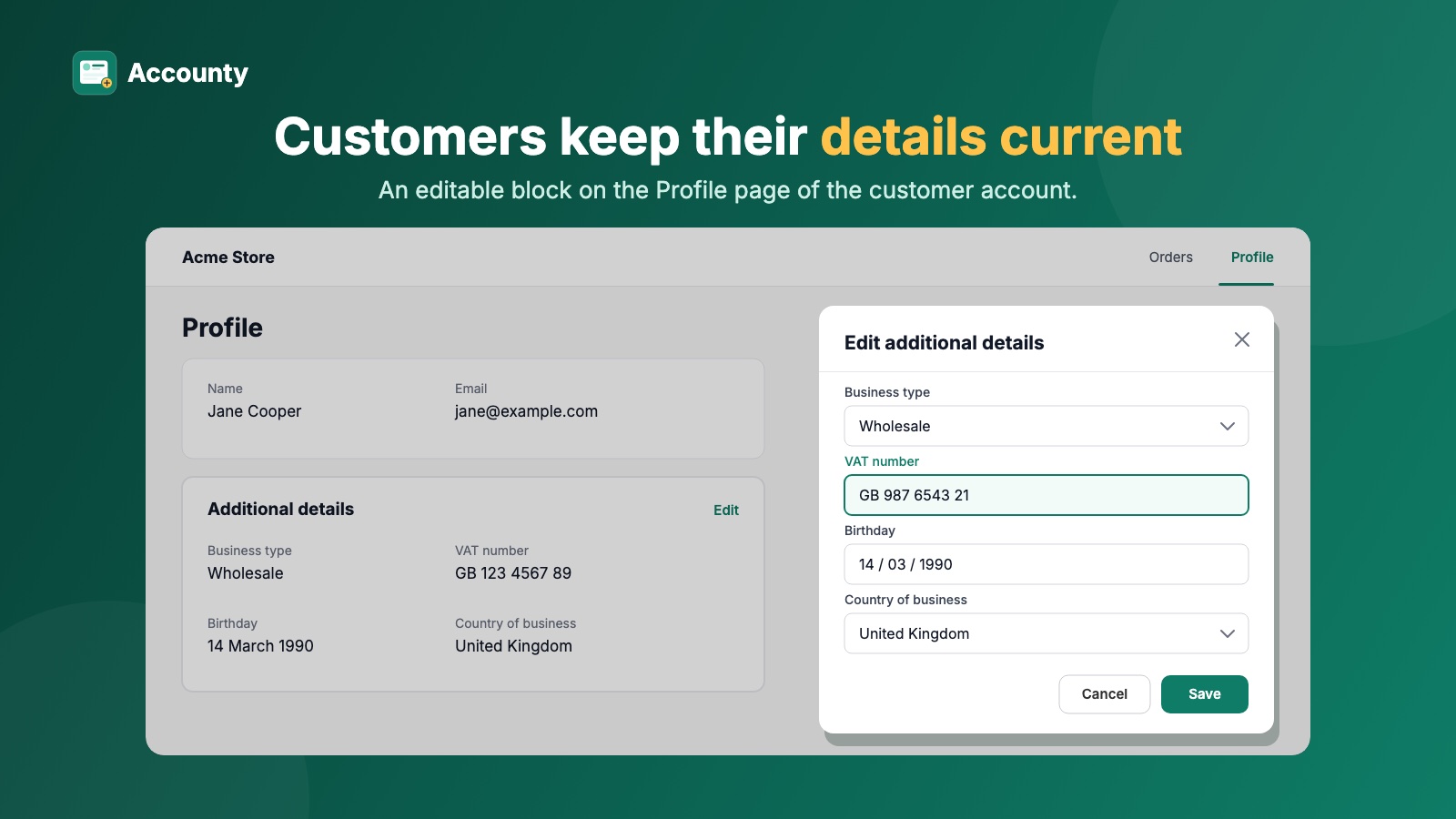
Customers fill them in their account
A block on the customer's Profile page shows their details and opens a pop-up to edit them. A setup guide on the app home page opens the right spot in the editor.
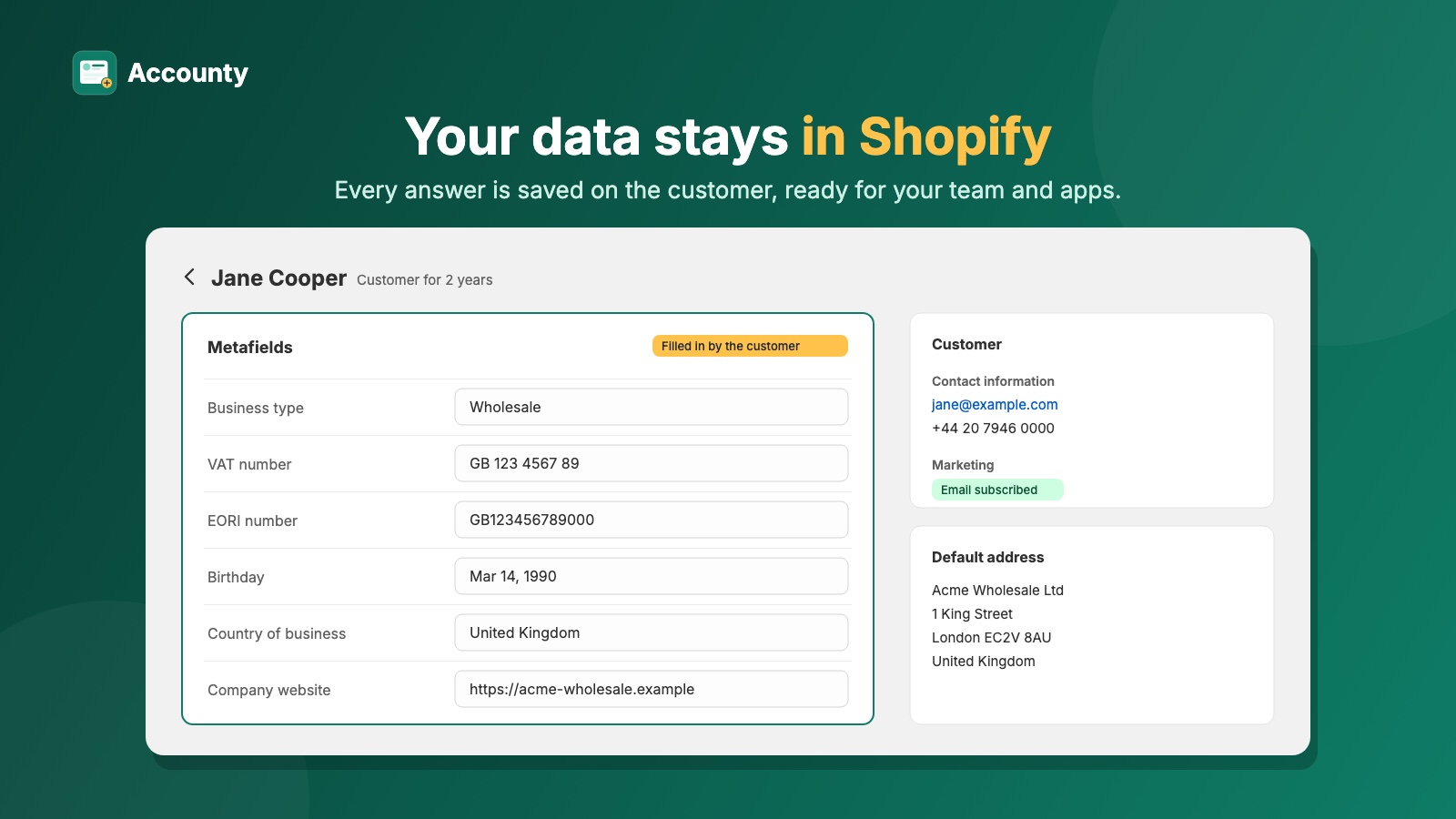
Answers land on the customer record
Custom fields are saved as customer metafields; name, phone and marketing consent update the customer's own Shopify fields. See every answer on the customer page in your admin.
Features
Custom customer fields, saved as Shopify customer metafields
Ask for exactly what you need, in the right format, and find it on the customer page in your admin — where your other apps can read it too.
Every common field type
Text, long text, email, phone, number, date, dropdown, radio buttons, checkbox, multi-checkbox, country and URL — so answers come back clean and usable.
VAT and EORI number fields
Each EU country, Northern Ireland and the UK has its VAT format and check digit checked when the customer saves. Numbers are stored in one clean format, like DE123456789.
Native Shopify fields
Customers update their first name, last name, phone and email marketing consent in the same form. These don't count toward your field limit.
Labels in every store language
Write a label and help text for each language published in your store, so customers see fields in their own language.
Rules checked twice
Required fields, length, number and date limits are checked by the app and by Shopify itself — customers can't save bad data.
Form builder with live preview
Pick the fields for a form, order them and make them required per form. See what customers will see before you save.
Your data stays in Shopify
Answers live on the customer record. The app's database holds only your field and form setup — no copy of customer data.
Embedded in your admin
Accounty runs inside the Shopify admin. No second login, no separate dashboard.
Plus plan
Business fields only for business buyers
Wholesale and trade sellers in the EU and UK need VAT numbers, EORI numbers and company details — without asking every shopper for them.
Conditional fields
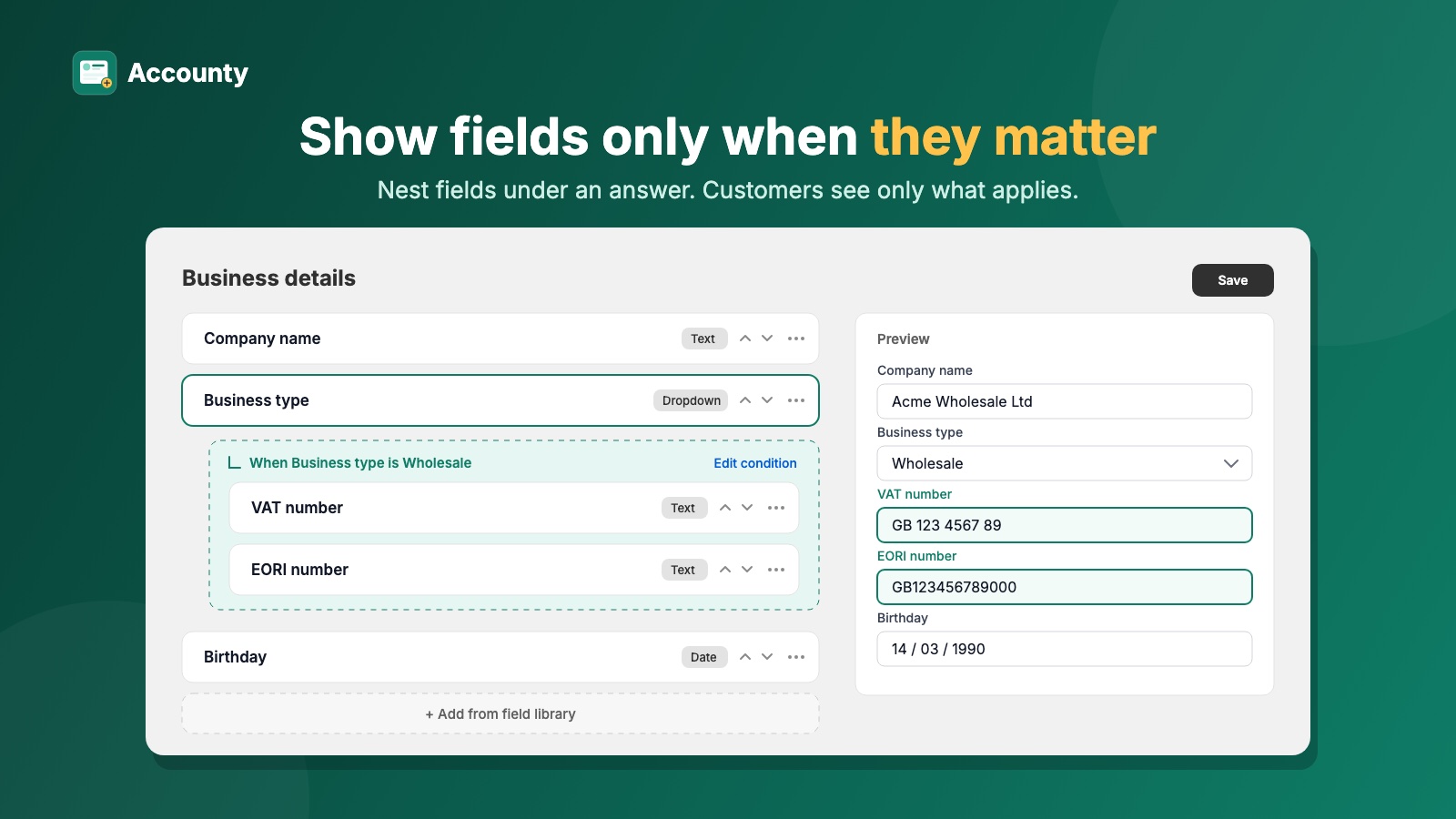
Show a field only for certain answers — for example VAT and EORI numbers only when Business type is Wholesale. Chains are allowed, and hidden answers are never lost.
Custom account pages, in the menu in one click
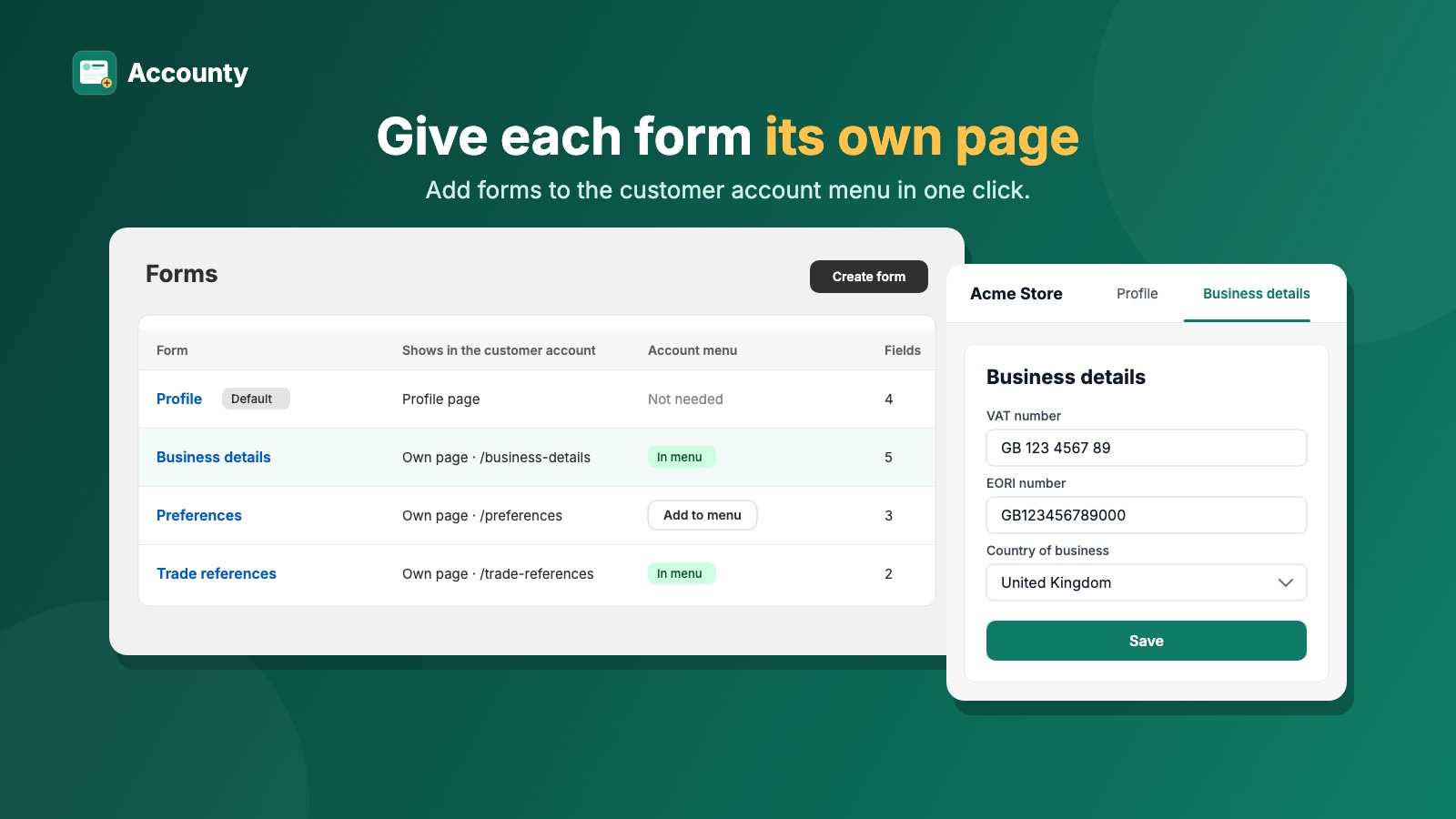
Give business or preference questions a page of their own, like "Business details", instead of crowding the profile. One click adds it to the customer account menu; renaming the form renames the link.
Works with your store as it is
Every Shopify plan
Basic, Grow, Advanced and Plus. Accounty Plus does not require Shopify Plus.
Every theme
The customer account is hosted by Shopify, so it works the same with Dawn, Horizon or a custom theme.
Matches your branding
Fields use Shopify's own customer account components and follow your account branding.
New customer accounts only
Stores still on legacy accounts get a clear warning with a link to the setting to switch.
Plans
Billed through Shopify, on your Shopify invoice. Downgrading never deletes answers or setup.
Free
Five custom fields, free for good. Free is the trial.
- 5 custom fields
- Name, phone and marketing consent fields (not counted)
- All field types, including VAT and EORI
- Labels in every store language
- Profile block with an edit pop-up
- Form builder with live preview
- No limit on customers or submissions
Accounty Plus
For stores that need more fields and business-only questions.
- Everything in Free
- No limit on custom fields
- Custom forms on their own account pages
- Add a form to the account menu in one click
- Conditional fields
Frequently asked questions
Customer fields, VAT numbers, plans and compatibility — the short answers.
Accounty is a Shopify app that adds custom fields to new customer accounts. You build fields like phone, company, VAT number or birthday in the app, customers fill them in inside their customer account, and every answer is saved on the customer record in Shopify.
In new customer accounts, sign-in and sign-up are hosted by Shopify and passwordless: customers get a one-time code by email. No theme and no app can add a field to that screen. Accounty collects the same details after sign-in, inside the customer account.
On their Profile page in the customer account, in a block that shows their details and opens a pop-up to edit them. On the Plus plan you can also create separate account pages, such as Business details, and add them to the account menu with one click.
In Shopify. Custom fields are saved as customer metafields, and name, phone and email marketing consent are saved as the customer's own Shopify fields. You see every answer on the customer page in your admin, and other apps can read the metafields. The app keeps no copy of customer data.
It checks the format and check digit of VAT numbers for each EU country, Northern Ireland and the UK when the customer saves, so typos and invented numbers are caught. Numbers are saved in one clean format, like DE123456789. It does not look the number up in VIES or HMRC and does not make customers tax-exempt.
It works with every theme, because the customer account is hosted by Shopify, not rendered by your theme. It works on every Shopify plan: Basic, Grow, Advanced and Plus. The Accounty Plus plan is our paid plan and does not require Shopify Plus.
No. Accounty is built for new customer accounts only. On a store still using legacy accounts the app works in the admin, but customers see nothing until the store switches. The app shows a warning with a link to the setting.
The Free plan includes 5 custom fields, the name, phone and marketing consent fields, every field type including VAT and EORI, and the Profile block, with no limit on customers or submissions. The Plus plan adds unlimited fields, custom account pages and conditional fields. The Plus price will be announced at launch.
Nothing is deleted. For 30 days customers keep using everything. After that, fields over the 5-field limit and custom forms become read-only for customers: their answers are still shown, but they can't be changed. Upgrading again unlocks everything at once.
Accounty is not on the Shopify App Store yet. It is built and is going through its first launch and App Store review. This page will link to the listing as soon as it is live.